You can view your current plan, change to a different plan, view your invoice history, and cancel your subscription from the Billing page in Tugger.
Viewing your current plan
- Log in to Tugger at tuggerapp.com
- Click Account in the top navigation bar
- Select Billing
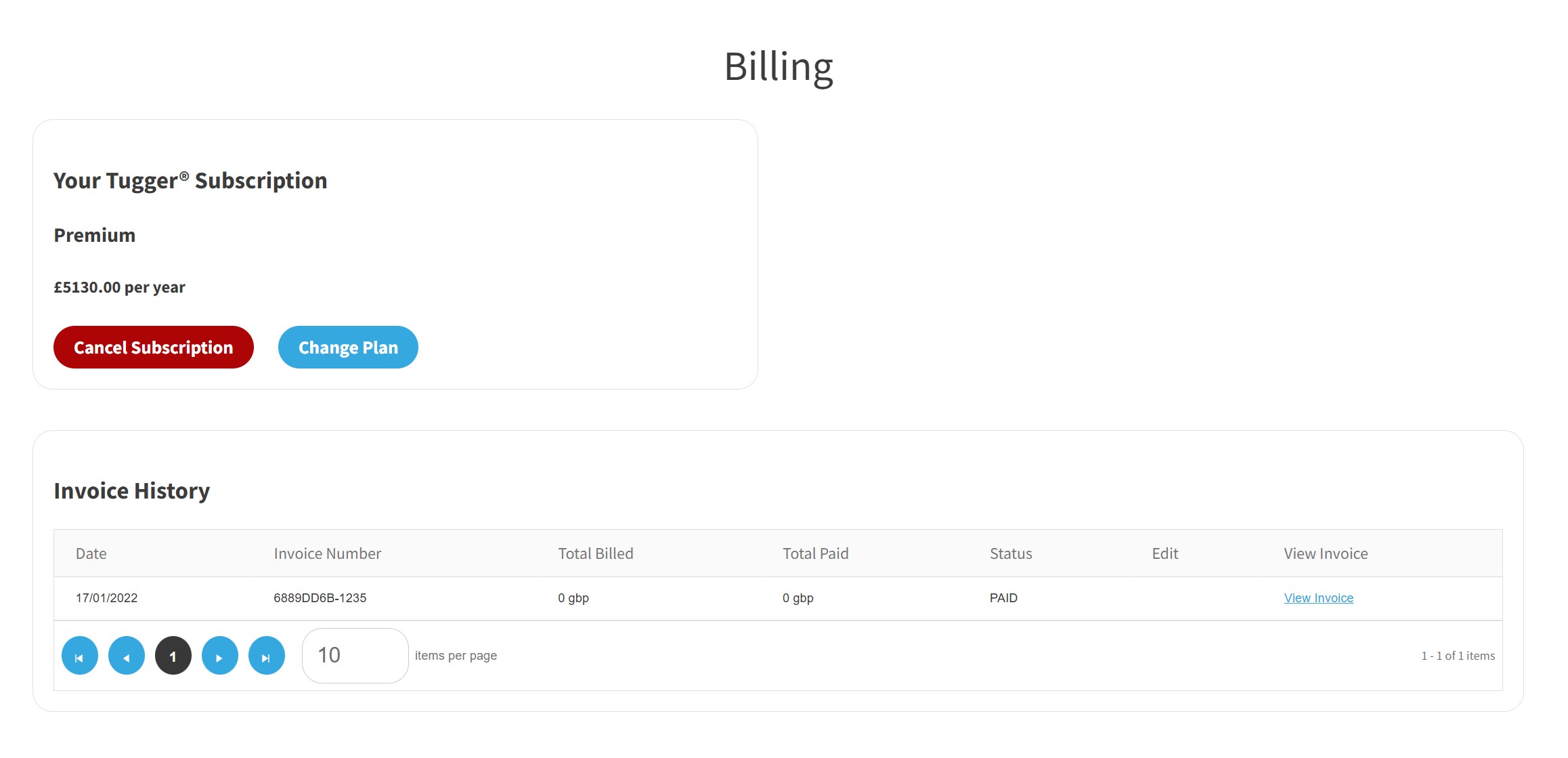
The top section shows your current subscription details, including your plan name and price. Below that, you'll find your Invoice History with a record of all invoices, including the date, invoice number, amounts billed and paid, status, and a link to view each invoice.
Changing your plan
If you need more connectors or storage, or want to move to a different plan:
- Go to Account > Billing
- Click Change Plan
![[Screenshot: Change Your Plan page showing plan comparison cards with connector counts, row limits, prices, and Select Plan buttons]](https://cdn.document360.io/915cfc9e-45d4-4924-af8d-4cea920ef985/Images/Documentation/change-plan.jpg)
You'll see the available plans based on your current data usage. Each plan shows the number of connectors included, the row storage limit, and the price. Click Select Plan on the plan you want to switch to.
For Enterprise requirements, click Contact and the Tugger team will be in touch.
Note: The plans shown may vary depending on your current row usage and whether you're on monthly or annual billing. For full pricing details, see the Tugger pricing page.
Viewing your invoice history
Your invoice history is shown at the bottom of the Billing page. Each entry includes:
- Date - when the invoice was issued
- Invoice Number - the unique reference for the invoice
- Total Billed and Total Paid - the amounts on the invoice
- Status - whether the invoice has been paid
- View Invoice - click to open and download the full invoice
Related articles: